How a Slow Laptop Can Hinder Your Learning
Imagine this—you’re ready to dive into a coding lesson, your enthusiasm is high, and you’re eager to start working. But then, your laptop takes five minutes just to boot up. You click on your coding software, and it lags for another few minutes before responding. By the time everything is finally set up, your excitement has faded, and frustration has taken over. A slow laptop doesn’t just waste your time—it drains your motivation and makes learning feel like an uphill battle.
Waiting… and Waiting… and Waiting Some More
A slow laptop can turn even the simplest tasks into a patience test. Whether you’re opening a web browser to research a problem, launching Figma for a UI/UX project, or running an analysis in Excel, lag makes everything feel ten times harder. Instead of focusing on your work, you’re stuck staring at a loading wheel, hoping your laptop will catch up.
Over time, these delays add up. Five minutes wasted here and there might not seem like a big deal, but multiply that by days, weeks, or months, and you’ve lost hours of valuable learning time. The worst part? Those moments of frustration can break your focus, forcing you to restart your thought process every time your laptop decides to freeze.
Crashing at the Worst Possible Moments
Ever been deep into an assignment, working on something important, only for your laptop to crash out of nowhere? It’s one of the worst feelings, especially if you forgot to save your work. A slow laptop often struggles with multitasking, meaning if you have multiple browser tabs open, a few apps running, and maybe a video playing in the background, your system might decide it’s had enough and shut down.
This can be a nightmare when you’re in the middle of an online class or trying to meet a deadline. If you’re learning to code, a crash can mean losing unsaved lines of code. If you’re working on UI/UX, you might lose design progress and have to start over. Even if your laptop doesn’t completely crash, frequent freezing and lag can break your flow, making it harder to stay engaged and productive.
Multitasking? Forget About It!
Learning tech skills often requires switching between multiple applications—maybe you have a coding editor open, a web browser for research, a YouTube tutorial playing in the background, and a note-taking app running at the same time. A good laptop can handle all of this smoothly, but a slow one? Not so much.
With a sluggish laptop, every extra app you open feels like adding weight to an already overloaded cart. Your system slows down, apps start responding sluggishly, and sometimes, they just stop working altogether. Instead of making progress, you end up closing everything and restarting your laptop in frustration.
This lack of efficiency makes it harder to learn effectively. Instead of flowing through tasks and absorbing new information, you’re constantly fighting against your device. Learning should be an enjoyable and engaging experience, but a slow laptop turns it into a battle of patience.
The Motivation Killer
Let’s be honest—when learning something new, staying motivated is already a challenge. It takes discipline to practice coding daily, improve your design skills, or work on data analysis projects. A slow laptop makes this even harder because it adds unnecessary obstacles to the learning process.
When you know your laptop will struggle to open apps, lag during lessons, and crash unexpectedly, you might start avoiding your studies altogether. Instead of practicing, you procrastinate because you don’t want to deal with the frustration. Over time, this can slow down your progress and even make you doubt whether you’re cut out for tech.
But here’s the good news—you don’t have to let a slow laptop stand in your way. While investing in a faster machine can make a huge difference, there are also ways to optimize your current device to improve performance. Simple fixes like upgrading your RAM, clearing unnecessary files, and closing background apps can help you get more out of your laptop while you work towards upgrading to something better.
The Importance of a Reliable Machine for Projects

When you’re working on a tech project, your laptop is more than just a tool—it’s your creative partner. Whether you’re coding an app, designing a website, or analyzing data, you need a machine that won’t slow you down. A reliable laptop ensures that your ideas flow smoothly from your brain to the screen without unnecessary interruptions.
Speed Equals Productivity
Imagine you’re in the middle of an exciting project—maybe you’re building your first website or working on a client’s UI/UX design. You’re in the zone, ideas are coming fast, and you’re making great progress. But suddenly, your laptop starts struggling, your design software freezes, and your workflow grinds to a halt. Now, instead of focusing on creativity, you’re stuck waiting, restarting apps, or even rebooting your laptop entirely.
A reliable laptop keeps up with your pace, allowing you to work efficiently without annoying delays. When your system runs smoothly, you can focus entirely on problem-solving, designing, or testing without getting distracted by technical issues. The faster your machine responds, the more you can get done in less time, and that means completing projects faster and with fewer headaches.
Multitasking Without Meltdowns
Tech projects often require juggling multiple applications at the same time. You might have a text editor open for writing code, a browser running documentation or tutorials, a design tool like Figma, and maybe even a project management app to keep track of tasks. If your laptop can’t handle all of these at once, you’ll find yourself constantly closing and reopening apps, which slows you down and disrupts your workflow.
A reliable machine makes multitasking effortless. You can switch between programs without lag, run multiple apps without crashes, and keep your momentum going. The ability to work on multiple aspects of a project at once is crucial, especially when deadlines are tight. When your laptop isn’t struggling, you can focus on the quality of your work instead of fighting with your device.
File Management and Data Safety
Nothing is worse than working on a big project, only to lose your progress because your laptop crashes or fails to save properly. Unreliable machines are more likely to experience sudden shutdowns, corrupted files, or storage issues, all of which can put your hard work at risk.
A dependable laptop ensures that your files are safe, your software runs properly, and your data is stored securely. Features like SSD storage, automatic backups, and cloud syncing help protect your work from unexpected failures. With a reliable machine, you don’t have to worry about losing hours of effort because of a technical glitch—you can work confidently, knowing your progress is secure.
Performance Matters for Testing and Execution
If you’re coding an application, running a simulation, or processing large datasets, your laptop’s performance can make or break your project. A slow or outdated system might struggle to compile code, take forever to render graphics, or crash under the weight of complex calculations.
A powerful, reliable laptop handles these tasks with ease, allowing you to test and execute your projects without unnecessary delays. Faster processing means you can debug more efficiently, analyze data in real-time, and complete projects without frustrating slowdowns. When your laptop performs well, you can focus on refining your work instead of waiting for things to load.
Collaboration and Client Work
If you’re working on group projects, freelance gigs, or client work, reliability becomes even more critical. The last thing you want is for your laptop to freeze during an important video call, crash while sharing your screen, or fail to export a project file at the last minute.
A dependable machine helps you maintain professionalism and meet deadlines without stress. You can confidently collaborate, share files, and present your work without worrying about technical failures. Whether you’re showcasing a UI/UX design, demonstrating a data analysis report, or reviewing code with a team, having a smooth-running laptop ensures everything goes as planned.
A reliable laptop isn’t just about speed—it’s about giving you the freedom to create, test, and collaborate without unnecessary roadblocks. When your machine works well, you can focus on what truly matters: bringing your tech projects to life.
Investing in the Right Laptop for Long-Term Growth

When buying a laptop, it’s tempting to go for the cheapest option that meets your immediate needs. But if you’re serious about your tech career, investing in the right machine now can save you money, time, and frustration in the long run. A laptop isn’t just a gadget—it’s the foundation of your learning, projects, and future success.
Think Beyond Today’s Needs
It’s easy to focus on what you need right now—a laptop that can open Chrome, run a few applications, and handle basic tasks. But tech skills evolve, and so do the demands of the software you’ll be using. A laptop that feels “good enough” today might start struggling in a year when you take on more advanced projects.
Instead of buying based only on your current skill level, consider where you want to be in the next three to five years. If you’re learning UI/UX design, will your laptop handle complex Figma files a year from now? If you’re diving into data analysis, will it still process large datasets efficiently as your work gets more complex? Buying with future growth in mind ensures your laptop remains useful instead of becoming obsolete too quickly.
Future-Proofing Your Performance
Technology advances fast, and software gets more demanding over time. Investing in a laptop with a powerful processor, sufficient RAM, and an SSD instead of a traditional hard drive can make a huge difference in performance.
A good rule of thumb is to always get at least 16GB of RAM if your budget allows. While 8GB might work fine for now, future software updates and heavier tasks could slow your system down. The same goes for storage—an SSD speeds up your laptop significantly, and 512GB or more ensures you don’t run out of space too soon.
Buying a slightly more powerful laptop today means you won’t have to replace it as quickly. Instead of struggling with an underpowered machine after just a year or two, you’ll have a laptop that keeps up with your growing skills and workload.
Upgradability Saves You Money
A good laptop isn’t just about what it can do today—it’s about how easily you can improve it when needed. Some laptops allow you to upgrade RAM or swap out storage, while others are completely sealed, forcing you to buy a new one when performance becomes an issue.
If you plan to use your laptop for several years, look for one that lets you make upgrades. Being able to add more RAM, replace the battery, or switch to a larger SSD means you can extend your laptop’s lifespan without buying an entirely new machine. This saves you money in the long run while ensuring you always have a laptop that meets your needs.
Investing Wisely: Cost vs. Value
It’s tempting to choose the cheapest laptop available, especially when you’re on a tight budget. But a cheap laptop that slows down or becomes outdated in a year can actually cost you more. If you have to replace or repair it frequently, you might end up spending as much as (or more than) a higher-quality laptop would have cost from the start.
Instead of just looking at price, consider value. A slightly more expensive laptop with better specs and durability might save you from buying another one too soon. Look for laptops known for longevity, solid build quality, and good performance reviews. Spending wisely now can keep you productive and stress-free for years.
A Laptop That Grows With You
Your laptop should be an investment in your future, not just a short-term fix. Choosing a machine with enough power, upgradability, and durability ensures that it supports you as you grow in your tech journey. When you invest in the right laptop, you’re not just buying a device—you’re giving yourself the best possible tool to learn, create, and succeed.
How to Upgrade Your Laptop Without Buying a New One
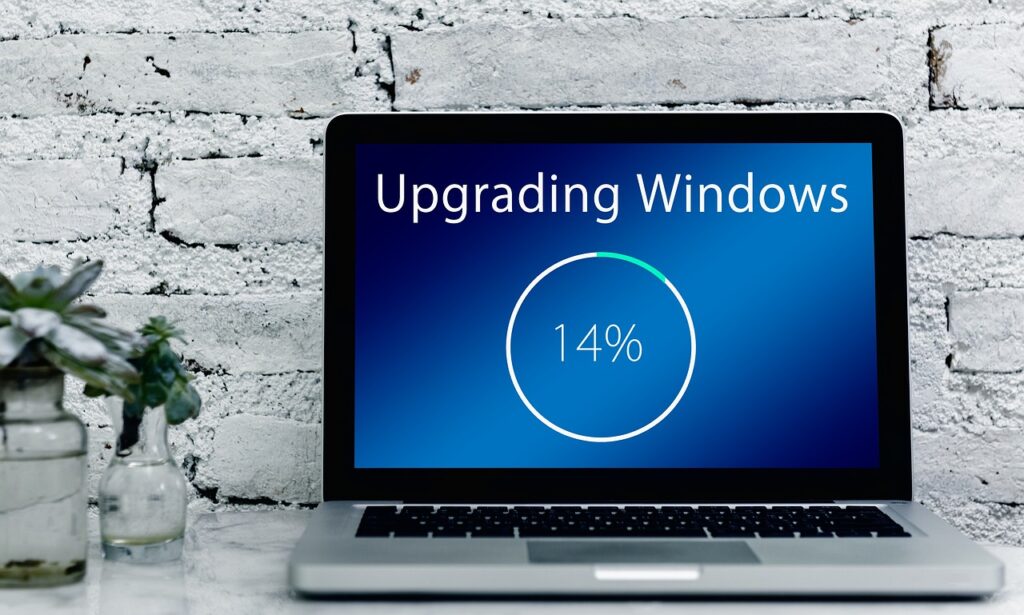
Not everyone can afford a brand-new laptop when their current one starts feeling slow. The good news? You don’t have to! With a few smart upgrades, you can give your laptop a fresh boost in performance without spending a fortune. Whether your laptop lags, runs out of storage, or struggles with multitasking, these simple fixes can help extend its lifespan and keep you working smoothly.
Boost Your Speed with More RAM
One of the easiest and most effective ways to speed up your laptop is by upgrading the RAM. If your laptop constantly slows down when switching between applications, struggles with large design files, or freezes when running code, low RAM might be the problem.
Most budget laptops come with 4GB or 8GB of RAM, which might not be enough for heavy tasks like UI/UX design, coding, or data analysis. Upgrading to 16GB (or even 32GB if your laptop allows it) can make a huge difference in performance. It helps your system handle more applications at once, reduces lag, and makes everything feel faster.
Before buying new RAM, check your laptop’s specifications to see if it’s upgradeable. Some laptops have their RAM soldered to the motherboard, meaning you can’t replace it. If yours allows upgrades, installing new RAM is usually as simple as opening the back panel and swapping out the old sticks.
Upgrade to an SSD for Lightning-Fast Performance
If your laptop takes forever to start up, load applications, or transfer files, an old hard drive (HDD) could be the culprit. Upgrading to a solid-state drive (SSD) is one of the best ways to improve speed without replacing your laptop.
An SSD can make boot times up to five times faster, significantly reduce lag, and improve the overall responsiveness of your system. Programs open instantly, files transfer quickly, and multitasking becomes much smoother. Even a simple 256GB SSD upgrade can breathe new life into an old laptop.
Many laptops allow you to swap out the existing hard drive for an SSD, while some also have extra slots for adding one alongside your current storage. If you’re unsure how to do it, a technician can install it for you—and trust me, it’s worth it!
Declutter and Optimize Your Software
Sometimes, your laptop feels slow not because of old hardware but because of all the unnecessary software running in the background. Over time, junk files, startup programs, and outdated software can slow down performance, making everything sluggish.
Here’s how you can optimize your laptop:
- Uninstall Unused Programs: If you haven’t used an app in months, remove it.
- Disable Startup Programs: Some apps launch automatically when you turn on your laptop, slowing down boot time. Disable them in Task Manager.
- Use a Lightweight Antivirus: Heavy security programs can slow down performance. Choose a reliable but lightweight antivirus to keep things running smoothly.
- Clear Cache and Junk Files: Use tools like CCleaner or Windows Disk Cleanup to remove unnecessary files and free up space.
A little digital cleaning can go a long way in keeping your laptop running efficiently.
Keep Your Laptop Cool for Better Performance
Overheating is a common issue that can slow down your laptop. If your device gets too hot, it automatically reduces performance to prevent damage, making everything laggy.
Here’s how you can keep it cool:
- Clean the Cooling Fans: Dust buildup inside your laptop can block airflow and cause overheating. Use compressed air to clean out dust from the vents.
- Use a Cooling Pad: A cooling pad provides extra airflow, helping to keep temperatures down, especially if you work long hours.
- Avoid Blocking Air Vents: Using your laptop on a bed or couch can block vents and trap heat. Always place it on a hard surface for better ventilation.
Keeping your laptop cool can prevent slowdowns, crashes, and even extend its lifespan.
Final Thoughts
Upgrading your laptop doesn’t always mean replacing it. A simple RAM or SSD upgrade, a little digital cleanup, and better cooling can make your laptop feel brand new again. Investing in these small improvements can save you money while keeping your device running smoothly for years. Instead of dealing with frustrating slowdowns, these tweaks let you focus on what really matters—learning, creating, and growing in your tech career!